How to choose a refurbished ThinkPad for your budget and workload
You want a ThinkPad. That part is settled. The awkward part is that Lenovo has been building them for decades, so the same three letters cover a 13.3-inch machine that fits beside a dinner plate and a 15.6-inch workstation that weighs close to three kilograms.
One idea does most of the work: match the age of the machine to how hard you will lean on it. A seven-year-old ThinkPad makes a fine hobby project and a frustrating only laptop. And whichever one you pick, the purchase price is not the whole budget.
Four things decide the answer. What you can spend, what performance the work needs, how repairable the machine stays, and the environmental cost you avoid by not buying new.
Refurbished sits between new and used: every unit on refurbed is professionally checked, cleaned and restored by a vetted seller, then sold with a minimum 12-month warranty. The full range of Lenovo laptops is worth a look once you know what you are after.
Which refurbished ThinkPad is right for you?
Start with the line that matches the work.
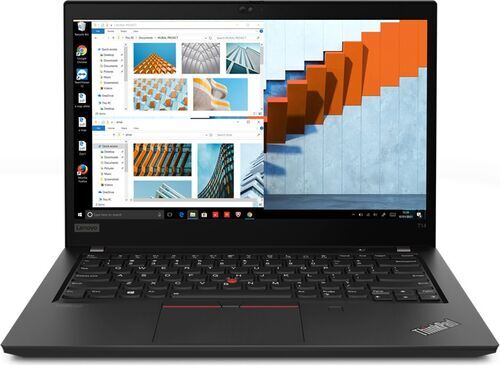
Everyday work and study. The ThinkPad T14 handles a full workday and light hobby projects without drama. Most people should start here.
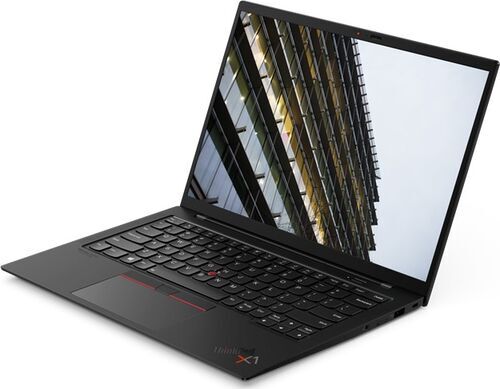
A laptop that lives in your bag. The ThinkPad T14s at 1,230 g or the ThinkPad X1 Carbon at 1,130 g, for when every hundred grams counts on the commute.
A small desk or a shared table. The 13.3-inch ThinkPad X13 leaves room for a plate and still drives a big screen once you sit down at a desk.
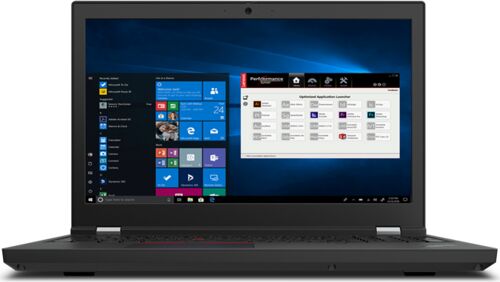
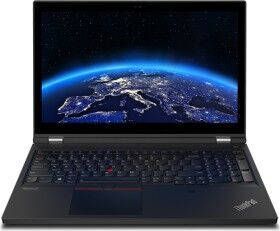
3D, CAD and video work. The ThinkPad P15 brings 8 cores and a 15.6-inch screen, at 2,870 g.
Handwriting and presenting. The ThinkPad X1 Yoga folds flat so you can annotate a drawing with a pen. More 2-in-1 convertibles sit alongside it.
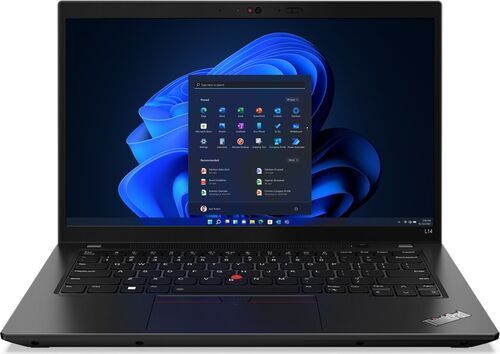
The tightest budget that still does real work. The ThinkPad L14 keeps the keyboard and the ports, and spends less on everything else.
A second machine or a Linux hobby box. An older unit like the ThinkPad T480 costs least of all and takes upgrades happily.
One caution about core counts before you compare specs: they do not translate across generations, because newer Intel chips mix a few fast cores with several efficient ones. Read the clock speed next to the core count.
Four ThinkPad lines that cover most people
Value, everyday and workstation tier: refurbished ThinkPad specs compared
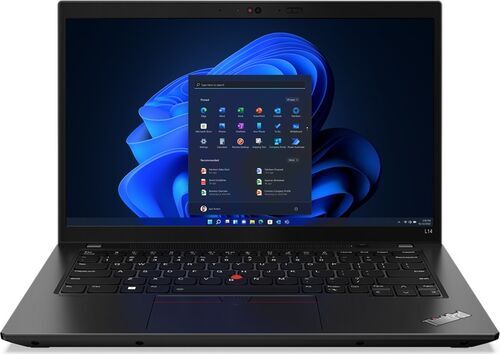
From CHF 335.02
Processor
Intel Core i5-1235U
Number of cores
10
Clock speed
2 x 1.30 GHz (P-Core), 8 x 0.90 GHz (E-Core)
Memory type
DDR5
Display
IPS, 60 Hz
Screen size
14 inch
Weight
1,390 g
Ports
USB-C 3.1, USB-C 3.0, USB-A 3.0, Gb LAN, HDMI, Audio in/out, Cardreader
Year of release
2022
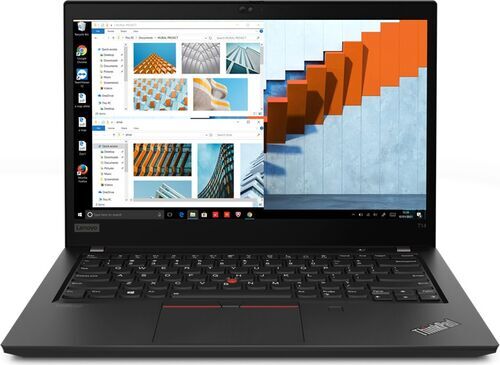
AMD Ryzen 5 PRO 5650U
6
2.30 GHz
DDR4
IPS, 60 Hz
14 inch
1,460 g
2 x USB-C 3.0, 2 x USB-A 3.0, Gb LAN, HDMI 2.0, Audio in/out, Cardreader
2021
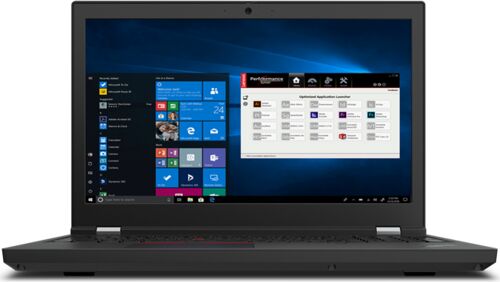
Intel Core i7-11850H
8
2.50 GHz
DDR4
IPS, 60 Hz
15.6 inch
2,870 g
2 x Thunderbolt 4, USB-C 3.1, 2 x USB-A 3.0, HDMI 2.1, Audio in/out, Cardreader
2021
The everyday all-rounder: refurbished ThinkPad T14
Most people who go looking for a ThinkPad end up here, for an unglamorous reason. The T14 does everything well enough and nothing badly.
It suits remote workers, students, and anyone learning to program in the evenings. Linux users have turned it into something of a default.
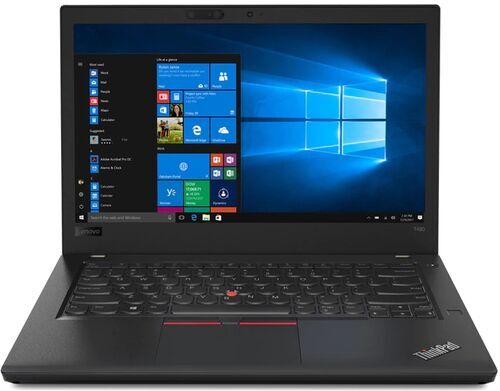
Picture a video call at nine, a spreadsheet on the train at lunch, then a code editor and twenty browser tabs at eleven at night. The ThinkPad T14 G2 with the AMD Ryzen 5 PRO 5650U gives you 6 cores at 2.30 GHz, which is what keeps the call running while the tabs stay open.
It weighs 1,460 g, runs a 14-inch IPS display at 60 Hz and takes DDR4 memory. The ports are the quiet argument for buying business hardware: 2 USB-C 3.0, 2 USB-A 3.0, HDMI 2.0, a card reader and Gigabit Ethernet, so older peripherals still plug straight in.
If the machine mostly lives on a desk, buy this one. If you carry it every day, 1,460 g starts to register, and the ThinkPad T14s saves you 230 g for more money.
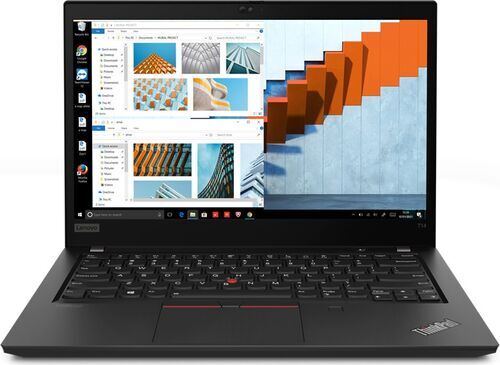
Light and compact: ThinkPad T14s, X1 Carbon and X13 for commuters
Weight only matters when you carry it. Then it becomes the only spec you think about.
Field sales, consultants, hospital and campus staff, students in shared housing, anyone hot-desking three days a week: this is the group that feels the difference.
You stand on a packed tram with the bag on one shoulder, then open the laptop on a cafe table for forty minutes between meetings. By Friday, the gap between 1,130 g and 1,580 g has stopped being a number on a page.
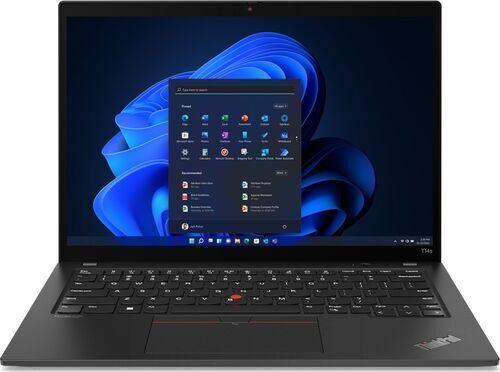
For a full-size screen you barely feel, the ThinkPad X1 Carbon G9 is the lightest 14-inch option here at 1,130 g and 14.9 mm thick, with an Intel Core i5-1135G7 running 4 cores at 2.40 GHz. The ThinkPad T14s G3 weighs 1,230 g and answers with more cores: an AMD Ryzen 5 PRO 6650U, 6 cores at 2.90 GHz, LPDDR5 memory and a 1920 x 1200 display.
When desk space matters more than screen size, take the 13.3-inch ThinkPad X13 G2 at 1,270 g, with an Intel Core i5-1145G7 at 2.60 GHz.
Lightness costs you ports. The X1 Carbon and the X13 each give you 2 Thunderbolt 4, 2 USB-A 3.0 and HDMI 2.0, with no Ethernet socket, which is where a docking station earns its place on the desk.
One buying tip for compact models: memory is sometimes fixed at the factory on this class of machine, so choose the memory you want at purchase rather than planning to add it later. The specification on each listing tells you which configuration you are getting.
Not commuting daily? Buy the standard ThinkPad T14 and put the saving towards a laptop case and a screen.
Heavy lifting: the refurbished ThinkPad P-series for GPU work
Some work does not care how thin your laptop is. It cares how long the render takes.
Architecture and engineering students, freelance 3D and video editors, analysts training models on their own machine: the workstation line exists for this group, and buying refurbished is what brings it into reach.
A render runs in the background while you keep working, or a video timeline scrubs instead of stuttering. The ThinkPad P15 G2 runs an Intel Core i7-11850H with 8 cores at 2.50 GHz, against 6 in the T14 and 4 in the thin models. The 15.6-inch IPS panel comes with a numpad, and the ports carry 2 Thunderbolt 4 plus HDMI 2.1, which is enough display bandwidth to drive two external monitors from one machine.
One thing to check for yourself: graphics configuration varies between units on this line, and the specification on each listing is the only reliable source. If a dedicated graphics card is the reason you are shopping the P-series, read that line before you buy rather than trusting the model name to guarantee it.
Be honest about the cost. It weighs 2,870 g, roughly double the X1 Carbon, and this is the biggest step up in price of any line here. If you want smooth everyday multitasking rather than rendering, buy the ThinkPad T14 and spend the difference on a screen.
Tightest budget: L-series and older T-series ThinkPads
Two very different machines share the bottom of the price range, and confusing them is the most expensive mistake on this list.
An older unit is a second machine. The ThinkPad T480 from 2018 runs an Intel Core i5-8350U, 4 cores at 1.70 GHz, weighs 1,580 g and still carries Thunderbolt 3, Gigabit Ethernet, a smartcard slot and a card reader. As a spare for homework, a self-hosting box or a Linux machine to learn on, it is excellent value. As the only laptop you own for the next four years, it asks a lot of you.
A recent L-series is your only laptop. The ThinkPad L14 G3 is a 2022 machine with an Intel Core i5-1235U, DDR5 memory, a 1920 x 1080 display and 1,390 g on the scale. Its 10 cores split into 2 performance cores at 1.30 GHz and 8 efficiency cores at 0.90 GHz, which is how a value-tier chip posts a bigger core count than the workstation without being faster at heavy work. It keeps the keyboard, the Gigabit Ethernet socket and the card reader, and saves money on the parts you notice less.
Match the era to the dependence. Occasional use, buy old. Daily dependence, buy the newest generation your budget reaches. Not committed to Lenovo? The wider laptops range is worth comparing.
Linux on a refurbished ThinkPad: what to check before you buy
ThinkPads became the default Linux laptop almost by accident. Companies bought them in fleets, IT departments documented every part, and twenty years of that left a deep well of community knowledge. Lenovo now certifies many business models with the major distributions outright.
Pick a generation with a few years behind it. Drivers mature over time, so a machine from two or three years ago usually gives you less to configure than the newest one.
Check your distribution supports the wireless card and the fingerprint reader. Those two are the usual sticking points, and both appear in the specification on each listing.
The AMD models behave well with the open-source graphics stack. The ThinkPad T14 G2 with its Radeon graphics and the ThinkPad T14s G3 with the Radeon 660M are both comfortable choices.
Buy the bigger drive if you plan to dual-boot. Two systems and two sets of files fill a small SSD faster than you expect.
Every line here will run Linux. The generation you choose decides how much of a weekend it costs you.
Battery, ports and building the rest of your setup
Battery is the one component that ages no matter how carefully the machine was treated. Buying privately makes that a gamble: you inherit whatever cells the last owner wore out. Every refurbed listing states the condition it ships in, and battery health forms part of the professional check before a unit goes on sale, so you know what you are paying for. The product conditions page sets out what each grade covers.
Ports are where business ThinkPads quietly beat consumer laptops. The ThinkPad T14 G2 carries 2 USB-C 3.0, 2 USB-A 3.0, HDMI 2.0, Gigabit Ethernet and a card reader. The ThinkPad L14 G3 keeps Ethernet and the card reader too. Older peripherals keep working, which saves buying replacements you did not plan for.
Then the setup around the laptop. One docking station turns a 14-inch machine into a two-screen desk you connect with a single cable, and refurbed stocks ThinkPad docks specifically. A separate monitor does more for daily comfort than any spec upgrade at this price. And a keyboard and mouse at the desk save the laptop keyboard for travel, which matters on a machine you plan to keep for years.
Repairability and the environmental cost of buying new
Repairability here is a side effect of who bought these machines first. Companies ordered ThinkPads in fleets, so Lenovo published service documentation for nearly every model and kept spare parts flowing for years. Most of the range opens with ordinary tools.
What that means once you own one: memory and storage can often be upgraded instead of replaced, and a worn part becomes a repair rather than a write-off. How much you can service yourself does vary by model and generation, so check the specification for the configuration you are buying.
That repairability is also what makes the environmental case concrete rather than rhetorical. Most of a laptop footprint is spent before the first login, in mining, manufacturing and shipping. So the greenest laptop is usually one that already exists.
The numbers are specific. Choosing a refurbished ThinkPad T480 over a new equivalent avoids roughly 375 kg of CO2 equivalent, about the same as 2,600 km of driving, along with around 95,000 litres of water and 1.6 kg of electronic waste. Set against buying that machine new, that comes to about 86% less CO2 equivalent and 87% less water. The figures come from research by the Fraunhofer Institute.
More on how refurbed approaches this sits on the sustainability page, and the refurbed process page covers how each unit is checked before it is listed.
Common mistakes when buying a refurbished ThinkPad
Five ways people overpay or under-buy.
Buying for the badge instead of the job. A famous older model is not automatically better value than a newer machine from a line nobody talks about. Decide what the laptop has to do, then find the least expensive generation that does it.
Forgetting the era. Match the generation to how hard you will lean on the machine. A 2018 unit makes a fine second laptop and a frustrating only laptop.
Treating the purchase price as the total. Budget for the dock, the screen and the keyboard that turn a laptop into a working setup. Skipping that step is where most disappointment starts.
Buying an unknown configuration. One model name covers very different processors, memory sizes and screens, and core counts do not compare across generations. Read the specification on the listing, not the model number. Each product conditions grade tells you what to expect cosmetically.
Buying with no recourse. A private sale gives you no warranty, no stated condition and no returns. A locked firmware password or a tired battery becomes your problem, and there is nobody to ask. The how refurbed works page covers the alternative, and returns explains what happens if you change your mind.
Why buy your refurbished ThinkPad from refurbed?
Buying with no recourse is the one mistake worth paying to avoid. Four things remove it.
Every unit is professionally checked and restored before it goes on sale, by sellers vetted by refurbed. The refurbed process page walks through what that involves.
Condition grades are stated up front. Premium, Excellent, Very Good and Good describe how a machine looks, never how it works. Every unit functions flawlessly. The product conditions page has the detail.
A minimum 12-month warranty comes with every laptop, so a fault after delivery becomes a claim rather than a loss.
30 days to change your mind. If the machine is not the right fit, send it back. Returns explains how.
Buy for the work you do, not for the badge on the lid. Choose that way and the ThinkPad you end up with is the affordable one and the right one at the same time.
Refurbished ThinkPad FAQs
Which refurbished ThinkPad is best for everyday use?
The ThinkPad T14. It handles a full workday, light hobby projects and a browser full of tabs without complaint, and it costs less than the thin-and-light models. The T14 G2 gives you 6 cores at 2.30 GHz and a full set of ports including HDMI 2.0 and Gigabit Ethernet.
Is an older refurbished ThinkPad still worth buying?
Yes, for lighter or occasional work. A 2018 machine like the ThinkPad T480 makes an excellent second laptop, homework machine or Linux box. For the laptop you depend on every day, buy the newest generation your budget reaches instead.
How is the battery on a refurbished ThinkPad?
Checked and stated before sale. Battery health forms part of the professional inspection, and the listing tells you the condition the unit ships in. A private sale offers no such guarantee, which is why buyers there budget separately for a replacement.
Can I run Linux on a refurbished ThinkPad?
Yes. Lenovo certifies many business ThinkPads with the major distributions, and community documentation runs deep because these machines filled offices for twenty years. Prefer a generation with a few years behind it, and check that your distribution supports the wireless card.
Can I upgrade the memory or storage later?
Often yes, though it varies by model and generation. Service documentation exists for nearly every ThinkPad and most open with ordinary tools. Compact models sometimes have memory fixed at the factory, so read the specification before you count on an upgrade.
What if the laptop is not right for me?
You have 30 days to send it back, and every unit carries a minimum 12-month warranty on top of that. The returns page sets out how it works, and product conditions explains what each cosmetic grade covers.

Sign up for our newsletter for the first time and save 15 CHF!
Never miss an offer again.
Information about the use of personal data can be found in our Privacy policy.
Get the refurbed app
For iOS and Android


Confirm sign-up
Cliquez sur le lien dans notre e-mail de confirmation pour recevoir votre bon d'achat. Il sera valable pour tout achat supérieur à CHF 200.
- © Refurbed Marketplace GmbH
- Accessibility
- T&C
- Privacy Policy
- Imprint
- Legal Notices
- Cookie Policy